
AppSheet MCP server
An open-source MCP (Model Context Protocol) server that lets AI assistants query, write to and automate your Google AppSheet apps in plain language. Built by Islom Ilkhomov, founder of AppSheet Solutions.
Page last updated
Try the demo View on GitHub (opens in a new tab) View on npm (opens in a new tab) Ask about connecting it
An independent project by Islom Ilkhomov. AppSheet is a trademark of Google LLC.
Try it
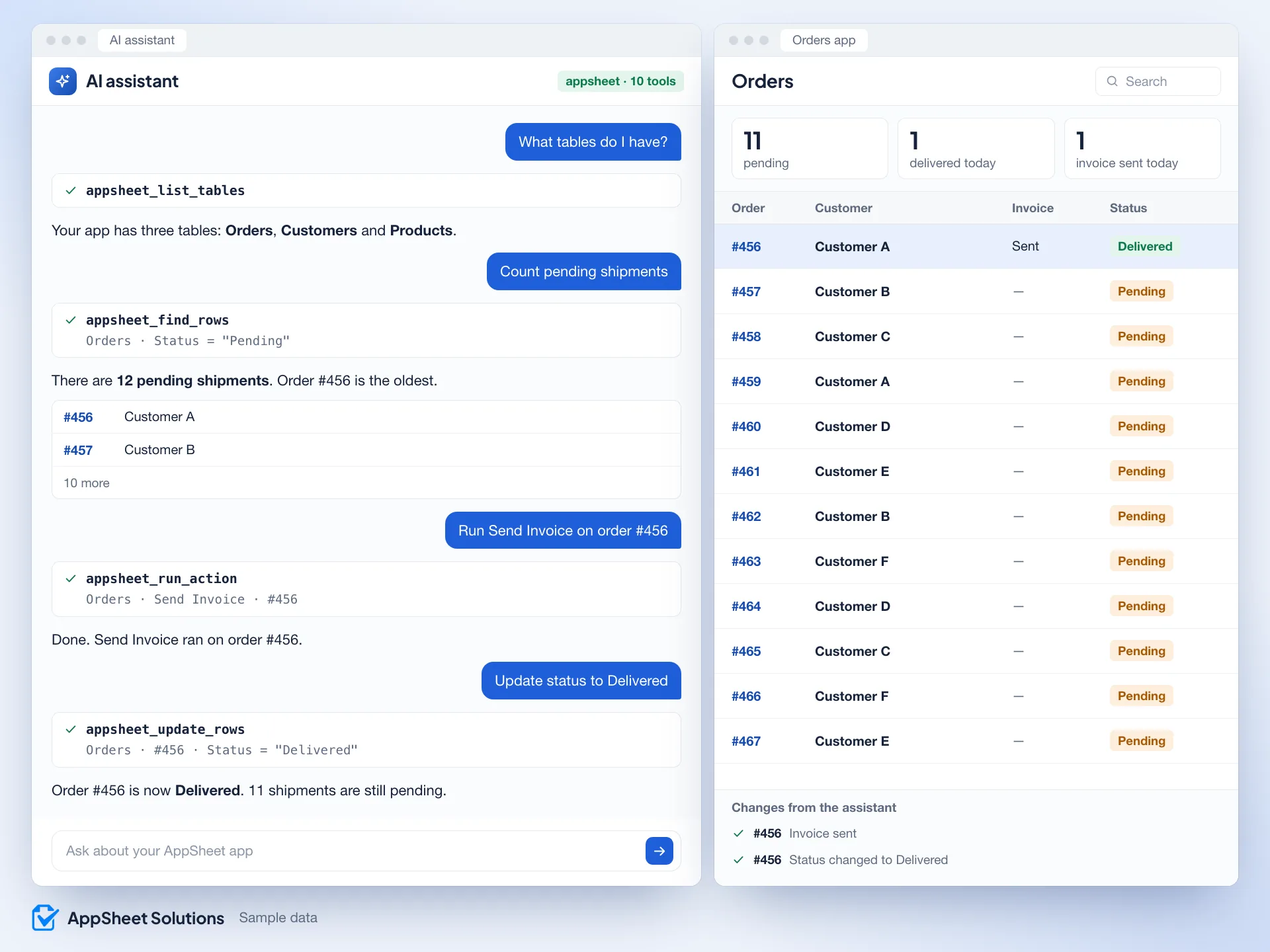
A demo in your browser, with sample data. Stand-ins for all 10 tools run here, and simple word matching replaces the AI: no AI model, no real server, no AppSheet app, and nothing is sent.
On this page
What you need before connecting
- An AppSheet Enterprise plan with API access enabled. Google restricts the AppSheet API to Enterprise plans.
- Your app’s App Id and an unexpired Application Access Key. The app owner or administrator must allow API access.
- Node.js 18 or newer and an AI assistant that supports local MCP servers, such as Claude Desktop or Cursor.
Set up the AppSheet MCP server
- In your app, open Settings, then Integrations, and enable the API.
- Copy your App Id and Access Key.
- Add this to your AI assistant’s MCP config:
{
  "mcpServers": {
    "appsheet": {
      "command": "npx",
      "args": ["-y", "appsheet-mcp-server"],
      "env": {
        "APPSHEET_APP_ID": "your-app-id",
        "APPSHEET_API_KEY": "V2-your-access-key"
      }
    }
  }
}
An assistant with this key can change and delete rows. Try it on a copy of your app first, and keep the Access Key out of shared files.
The 10 AppSheet MCP tools
| Tool | What it does |
|---|---|
appsheet_find_rows | Query rows, with an optional filter |
appsheet_add_rows | Add rows |
appsheet_update_rows | Update rows by key |
appsheet_delete_rows | Delete rows by key |
appsheet_list_tables | List the app’s tables |
appsheet_describe_table | Infer columns from sample data |
appsheet_run_action | Run a custom action |
appsheet_run_workflow | Run an action configured to trigger a bot |
appsheet_list_apps | List the configured apps |
appsheet_get_app_info | Summarise the app’s configuration |
What to ask
- What tables do I have?
- Show active customers
- Count pending shipments
- Update status to Delivered
- Run Send Invoice on order #456
- Describe the Orders table
AppSheet Chat: the same tools in a browser
AppSheet Chat is a browser version with the same tools and a chat screen. It runs in Google Apps Script and works with Gemini, OpenAI and Claude.
AppSheet API limits
- AppSheet’s API has no schema endpoint, so columns are inferred from sample rows. Type definitions, validation rules and virtual or REF columns are not visible.
- The AppSheet API does not expose formulas such as App Formula and Initial Value.
- The API cannot list actions. Running one needs its exact name from the editor, and it must be a row-level action.
- Requests go through AppSheet, which adds latency and API limits. For heavy bulk writes or large queries, direct database access is better.
Questions
Which AI assistants work with the AppSheet MCP server?
Assistants that support MCP, including Claude, Gemini, Cursor and VS Code Copilot.
How do I connect Claude to AppSheet?
With an AppSheet Enterprise plan, enable the API in Settings, then Integrations. Copy your App Id and Access Key, install Node.js 18 or newer, and add appsheet-mcp-server to Claude Desktop’s MCP config using the example above. Restart the assistant and test a read request on a copy of your app first.
Can an AI assistant run AppSheet actions and bots?
appsheet_run_action runs a supported row-level action by its exact name from the editor. appsheet_run_workflow runs an action you have configured to trigger a bot; it does not start an arbitrary bot by name. The bot’s event conditions must match the resulting data change.
Is the AppSheet MCP server free?
The server is open source under the MIT licence. Connecting it requires an AppSheet Enterprise plan with API access; your AI assistant may also have its own costs.
Does the AppSheet MCP server work with AppSheet Core?
Google’s documentation limits the AppSheet API used by this server to Enterprise plans. An AppSheet Core subscription alone does not provide the required API access.
Do my app’s AppSheet rules and bots still apply?
Requests go through the AppSheet API. A bot runs only when its event and conditions match the data change. Test the intended actions, permissions and automation on a copy of your app before allowing an assistant to write to production.
Can you connect the AppSheet MCP server for us?
Yes. Tell us what your app does and what the assistant should do.
Start with a conversation
Let’s make your work easier.
- Tell us where work gets stuck.
- We clarify what an app could help with.
- We agree the next step together.
Book a 30-minute call
Discuss your custom app project with Islom on Google Meet.
Choose an available time
Islom Ilkhomov
Prefer to write directly? Islom.Ilkhomov
Istanbul, Türkiye
Prefer a conversation? Write to me directly.
Talk to Islom on WhatsApp (opens in a new tab)+90 501 176 94 71